Water Map Live: frequently asked questions
We have built Water Map Live as logically and clearly as possible, but you may always have questions about a particular option or how the app works. We have included the most frequently asked questions in this article, perhaps yours is included too!
Dutch Version 🇳🇱 | German version 🇩🇪
1. How can I upgrade the app?
Upgrading the app works just like with any other app: the payment begins inside the app and,
depending on your platform, proceeds via a secure connection to the Apple App Store (iOS) or Google
Play (Android). We have prepared a guide for both systems: read how
to upgrade to Pro in the Apple App Store, or how
to upgrade via Google Play.
You can also take out a subscription via this website; you can find more information on this page.
Wondering which subscription suits you best? Then read point 7 on this page.
2. I can't log in to my account
You log in with your username and password; you received your username in the
welcome email when you registered. If necessary, try logging in via Water Map Live. Have
you forgotten your password? You can reset it via Water Map Live. Don't
remember the email address you registered with? Then it is best to create a new account. Doing
this directly inside the app will log you in immediately so you can get back on the water right away.
3. I have paid but cannot log in
To be clear: a Water Map Live account is a free service. Whether you have upgraded
the app or not does not matter: it simply enables you to save your planned routes and vessel
particulars, sharing them across multiple devices and the web platform. Nothing more, nothing
less, for everyone. Your Water Map Live account is therefore completely independent from any payment
for an upgrade. Have you paid but cannot log in because you haven't created an account yet?
Simply register within the app to get logged in automatically,
or sign up via the website.
4. Ok, but I paid and no pro version
That's unusual. Can you still tap the payment option? Try pressing it again. If you have already
completed the purchase, you will see a prompt confirming that restoring this upgrade is free,
and your app will unlock the Pro features.
You can always check your active subscription status at any time.
On iOS: Open the Settings app (the grey gear icon) -> tap your
name at the top -> tap 'Subscriptions'.
On Android: Open the Google Play Store -> tap your profile icon
in the top right corner -> tap 'Payments & subscriptions'.
Still not working? Try restarting your device and launch the app again. If that does not resolve it, please forward the purchase receipt you received from Apple or Google to post@waterkaart.net and we will inspect it right away. We are happy to help!
5. I have a new phone, how can I transfer my subscription?
Your subscription is linked to your Google Account (Android) or Apple ID (iOS). That makes
transferring your subscription completely effortless: simply log in with the same Google Account or Apple ID
as on your previous phone, and the Pro features will restore automatically when you open the app on your new
device. If for any reason it does not activate right away, you can tap the buy button again with confidence:
the app will upgrade again for free.
Of course, this also works across multiple devices: for instance, if you use a tablet
alongside your phone signed into the identical Google or Apple account, the upgrade transfers at no extra cost.
Please note: Android and iOS subscriptions are not cross-compatible. Having an Android phone and an iPad,
for example, requires two separate platform subscriptions. Fortunately, at just €9.99 per device platform,
it remains great value for everything included.
Alternatively, you can choose a subscription via our website, allowing you to unlock one or multiple apps across all operating systems. See this page for details.
6. How can I check the status of my subscription?
Doing this within the app is very simple:
- Open the Water Map Live app on your device.
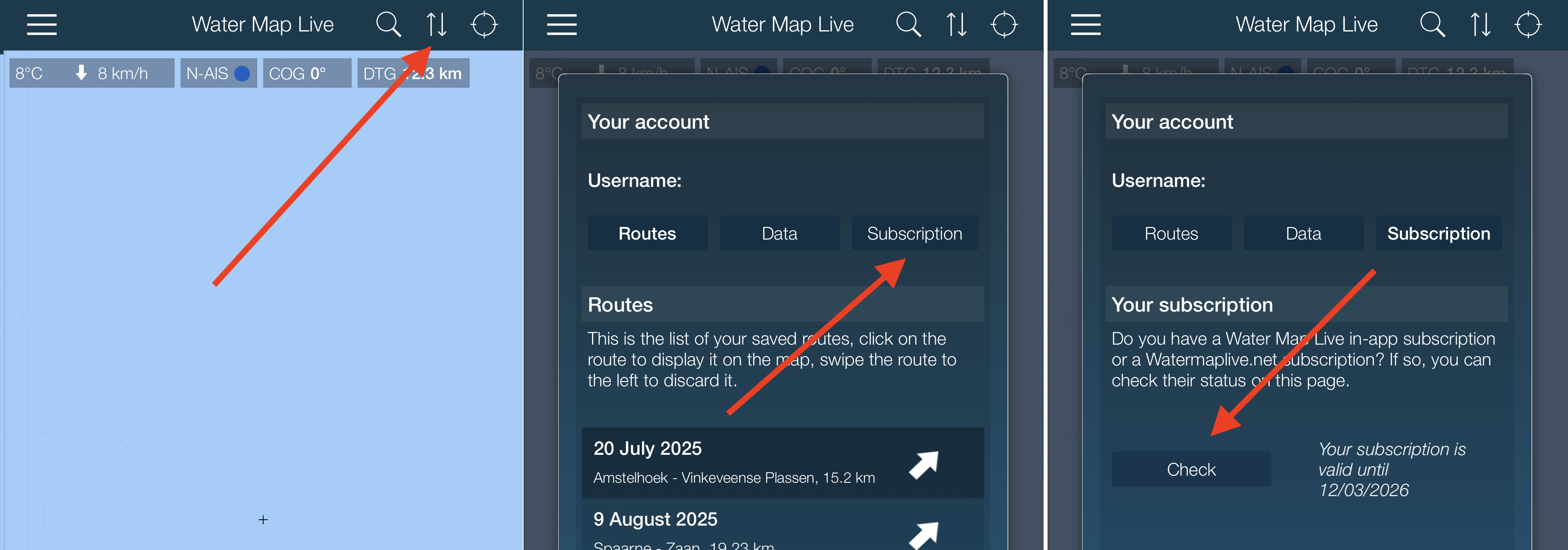
- Open the account window using the double arrow button
 .
. - Next, tap the "Subscription" button...
- ...and in the popup window, tap the "Check" button.
- Your subscription will then activate on this device, giving you unlimited access to the Pro features of the app right away.
Using an Android device and running into issues? Please verify inside the Google Play Store app whether you are signed into multiple Google accounts on your device. In-app subscriptions are tied directly to your primary Google Account; if the wrong profile is active in Google Play, the app will not detect your purchase.
7. Which subscription do I need?
There are two different types of subscriptions available:
1. An upgrade for the Water Map Live app, purchased directly in the app (In-App).
2. A subscription for Watermaplive.net, which you can purchase via the website.
Examples:
I want to use the app…
- only on my personal smartphone and tablet ➡️ Choose the In-App subscription
- on my phone/tablet AND on my computer ➡️ Choose the Watermaplive.net subscription
- on multiple devices and platforms belonging to me and/or my partner ➡️ Choose the Watermaplive.net (plus apps) subscription
Please note:
In-App: The subscription purchased through the app is tied to the account on your device. If your Google Account is example@gmail.com, you can use this subscription without restrictions on any Android device logged into that specific Google account (such as both your smartphone and your tablet, but not across platforms).
The same applies to Apple: if your Apple ID is example@icloud.com, you can activate this subscription on all iOS devices where you log in with that Apple ID. Restoring purchases across these devices is completely free.
Watermaplive.net: The website subscription is linked directly to your website account and can be used on desktop browsers or laptops. It grants full access to all web features and includes one or more app upgrade slots for the Water Map Live app (see here how to activate them). These slots are valid on both iOS and Android.
In-app subscriptions are more affordable, but they do not provide access to web portal features or cross-platform transfers between iOS and Android.
8. I want to cancel my subscription
We're sorry to see you go, but canceling is just as hassle-free as subscribing. You can manage your subscription yourself at any time.
On iOS: Open the Settings app on your device, tap your name at the top, and select 'Subscriptions'.
On Android: Open the Google Play subscriptions page (click here), where you can view and cancel all active subscriptions.
Did you purchase a website subscription via watermaplive.net? You can cancel it directly from your account overview page.
9. How do I get the Water Map working on my laptop?
That depends on your operating system. Using Windows? You can access the web application at https://watermaplive.net (browsers do not always handle GPS accurately, meaning position tracking may be limited). If you are using a MacBook with an Apple Silicon (M-series) chip, you can run the native iOS app downloaded directly from the Mac App Store. If you use a Chromebook, you can install the Android app via Google Play.
When you subscribe via the website (€15 or €25 per year, depending on your selected tier), you can track your live position on your laptop as well. Connecting a dedicated USB GPS receiver to your laptop is the best way to achieve this.
10. How can I plan a route?
Both inside the Water Map Live app and on the watermaplive.net website, you can plan routes through Dutch, German, and Belgian waterways, save them to your account, and sync them seamlessly across your devices. Learn how it works in our step-by-step guide: How the route planner works.
11. Can I also import GPX files?
Yes, absolutely! Open the menu inside the app (tap the menu icon in the top left corner) and select "Tracks | GPX". Visit this guide (NL) to learn more about GPX tracks and download various complimentary waterway routes ready to import into the app.
12. Can I connect my AIS transponder of duplexer?
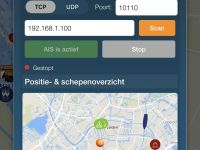
Yes, It is now possible to connect your boat's AIS transponder or multiplexer to Water Map Live. This gives you a clear, real-time overview of vessel positions around you. Do you also have GPS in your on-board network? The app will use that as well. Pairing through the app is very straightforward. Read on to find out how to set it up.
13. The information for this bridge/lock/buoy/traffic sign or other object is incorrect!
Operating hours and navigational details for bridges, locks, and waterway objects in the Netherlands are collected by dozens of local municipalities, provinces, water boards, and Rijkswaterstaat.
All of this data is centrally pooled into Rijkswaterstaat's FIS (Fairway Information Services) database. Occasionally, local authorities delay sending revised operational hours to RWS. Spot an error on the water? Report it via the Waterway Reporter (Vaarmelder) directly to the Nautical Data Team at Rijkswaterstaat. They will contact the local bridge operator and update the master record.
The data on watermaplive.net and in your Water Map Live app is connected directly to Rijkswaterstaat's official FIS database. Whenever RWS updates an entry, it reflects automatically inside your app, ensuring you always consult the authoritative source for Dutch waterway assets.
14. I have an improvement for the base map
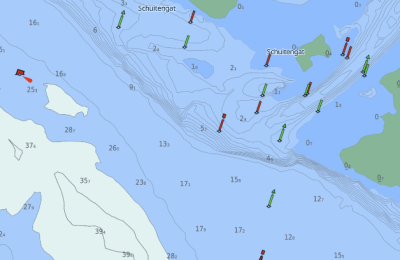
The base map in Water Map Live is provided by the Dutch Land Registry (Kadaster). Notice an irregularity in the terrain or shoreline? Report it directly to Kadaster via Verbeterdekaart.nl. Once Kadaster validates and updates their data, the improvements automatically filter through to Water Map Live.
15. I would like to add an attraction, marina, or business to the Water Map
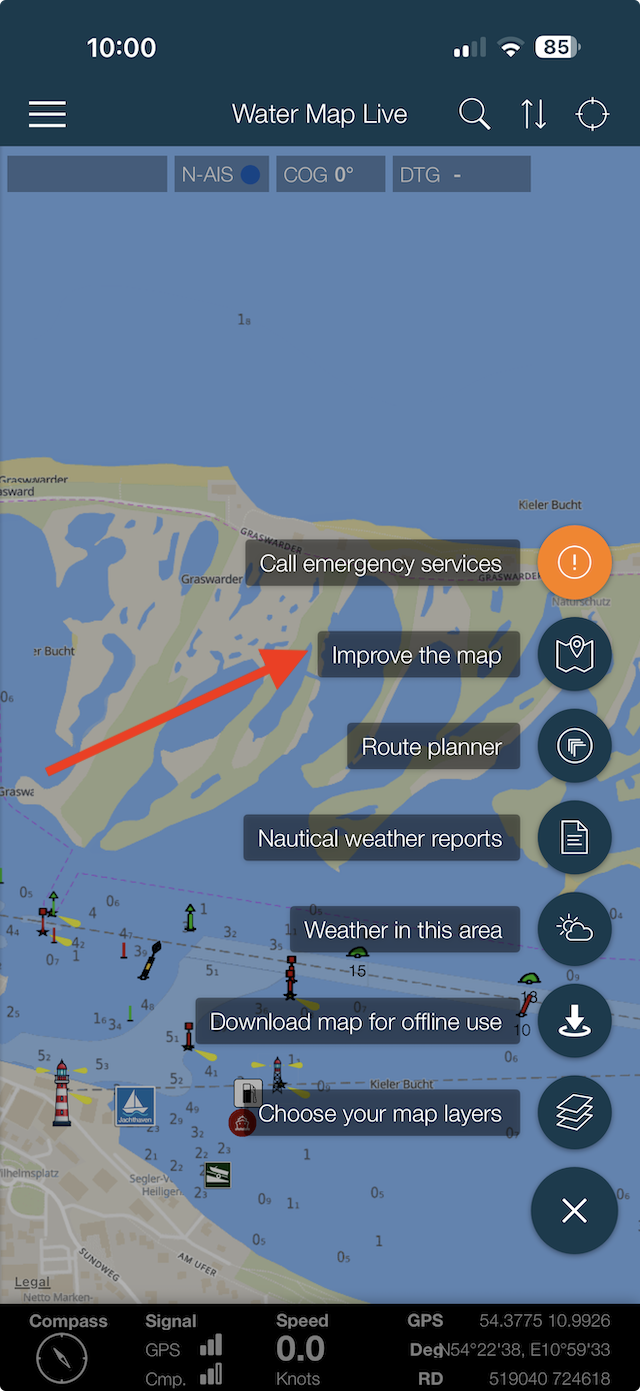
We welcome community additions! You can submit updates directly within the app using the 'Improve the map' tool by tapping the round button in the bottom right corner.
16. Is there a German version / English version?
Yes, the app is fully available in German.
And yes, the app is also fully available in English.